
Workflow & automation
Less bookkeeping, more trading.
Between the first tick and the monthly review sits a lot of quiet work — importing fills, writing down what you saw, running the numbers. Katsumii keeps that layer fast, local and out of your way, so the journal you meant to keep is the journal you actually keep.
- CSV & FXReplay imports
- Broker sync on demand
- Daily journal & calendar
- Built-in trader tools
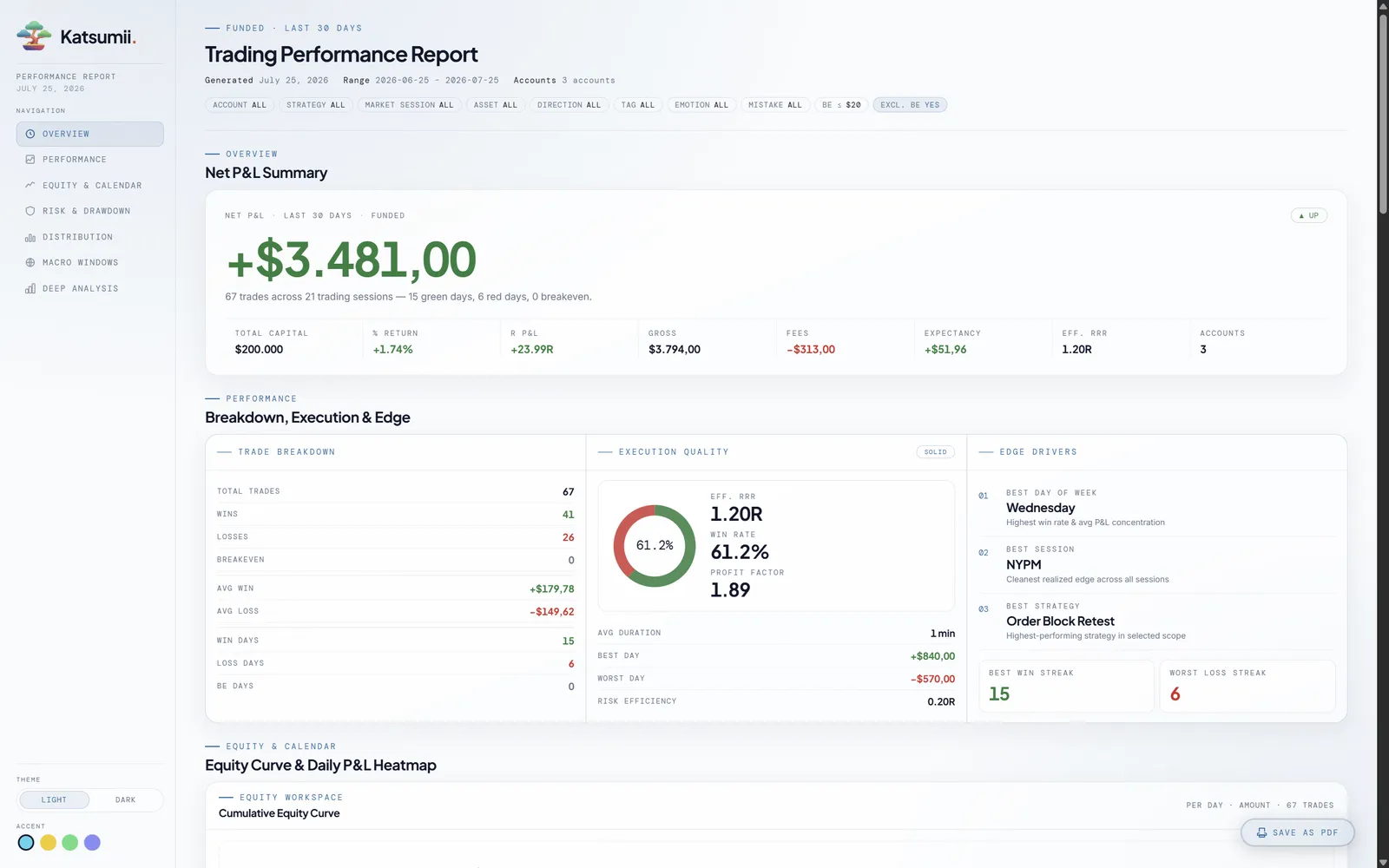
- Offline HTML reports (Pro)
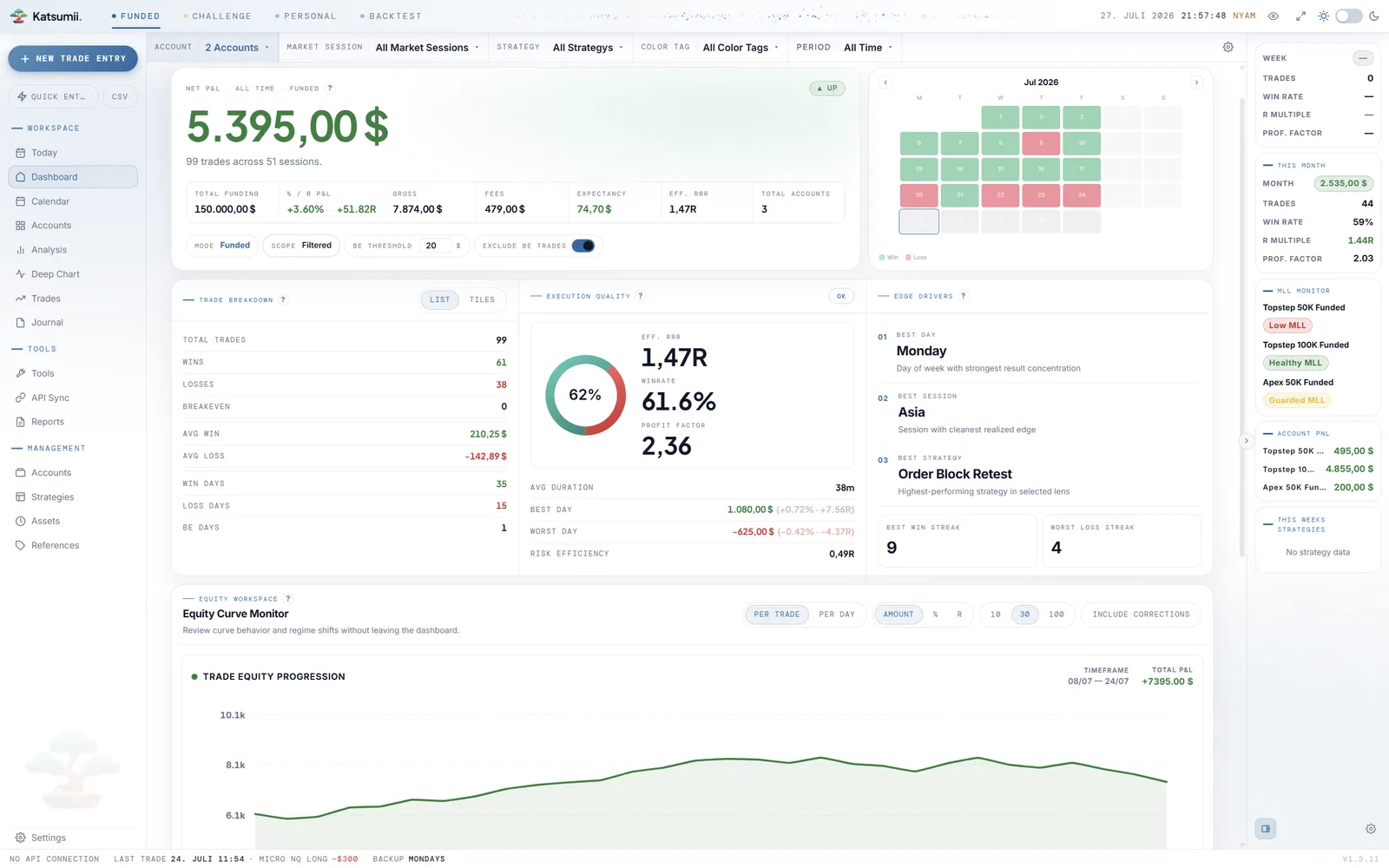
Imports & broker sync
Your fills, from anywhere, without retyping.
Every broker exports data a little differently — Katsumii speaks the common formats and connects to the platforms most prop-firm traders actually use. Import once, map columns once, and every later sync lands straight in the right mode against the right account — pulled the moment you press Sync now, never while your back is turned.
CSV import wizard
Upload, resolve mapping issues, review, done. Broker presets auto-detect the common formats — or map columns yourself and save it as a custom preset.
Execution modes
Import completed trades, raw executions, or executions paired by ID — Katsumii pairs the fills into round-turn trades on the way in.
FXReplay imports
Send FXReplay exports straight into a new or existing backtest session with strategy, hypothesis and starting balance attached.
Symbol mapping
Map broker symbols to Katsumii assets once. Unknown symbols surface in the mapping modal and can spawn new assets in place.
Supported providers
- MetaTrader 5Reads closed trades from a running local MT5 terminal on your click (Windows).Windows
- ProjectX / TopstepXProjectX Gateway API — sync futures fills across mapped accounts.API
- Capital.comREST API for demo and live accounts — closed trades on demand.API
- OANDAv20 REST API for practice and live accounts — FX fills, mapped in.API
- Generic CSVAny broker that can export a CSV — map columns, save a preset, reuse.Universal
- FXReplayBacktest exports into dedicated backtest sessions.Backtest
Symbol-to-asset mapping remembers what you told it — repeat imports just work. CSV and FXReplay imports ship with Lite; the four API connections are Professional.
Daily workflow & journal
The day, the trade and the reason — in one place.
The Today screen keeps the current session's P&L, streaks and account status in view while you trade. Quick Entry captures a fill in seconds; the journal captures the story behind it. When you review, the calendar shows both — the numbers and the notes — day by day.
Today screen
Session P&L, trade count, W/L, streaks, account health and personal goals — the state of the day, at a glance.
Quick Entry & Trade Presets
Log a fill in seconds. Presets pre-fill strategy, risk, session and fees so recurring setups stop costing you clicks.
Tiptap journal
Rich-text entries with autosave, bullet lists, blockquotes and screenshots. Per-day stats stay pinned to the top of the page you're writing on.
Emotions, mistakes, tags
Attach the human context to every trade — moods, execution mistakes, color tags — so the analytics side has something to break down.
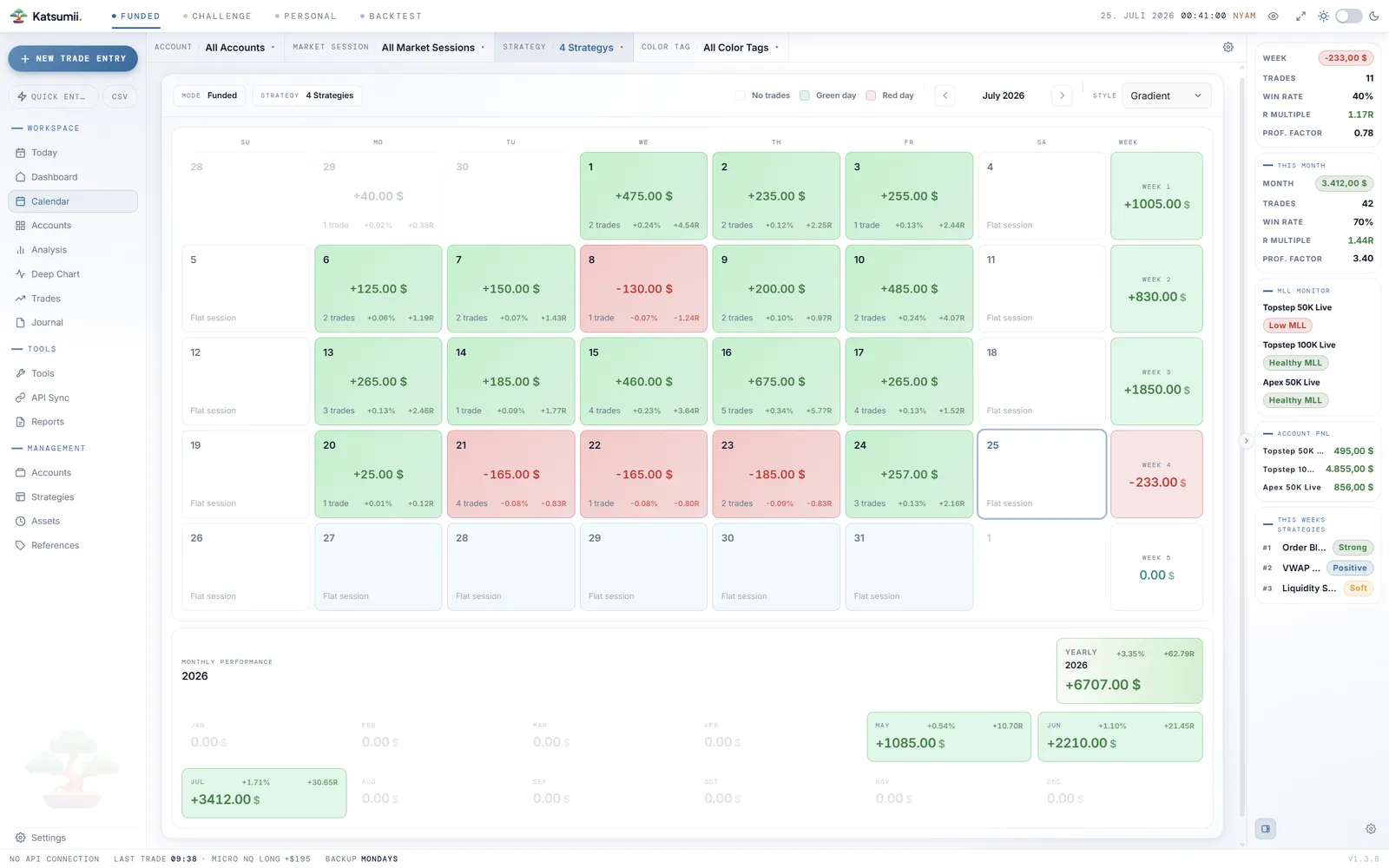
Calendar with journal markers
Monthly and yearly heatmaps of P&L, trade count and (crucially) which days you actually wrote something down.
Tools & reports
The utilities you were already keeping in tabs.
Every desk gets cluttered with the same six utilities — a position size calculator, an R:R visualizer, a timezone helper. Katsumii ships them inside the app, next to the data they act on, and turns any filter into a shareable offline report.
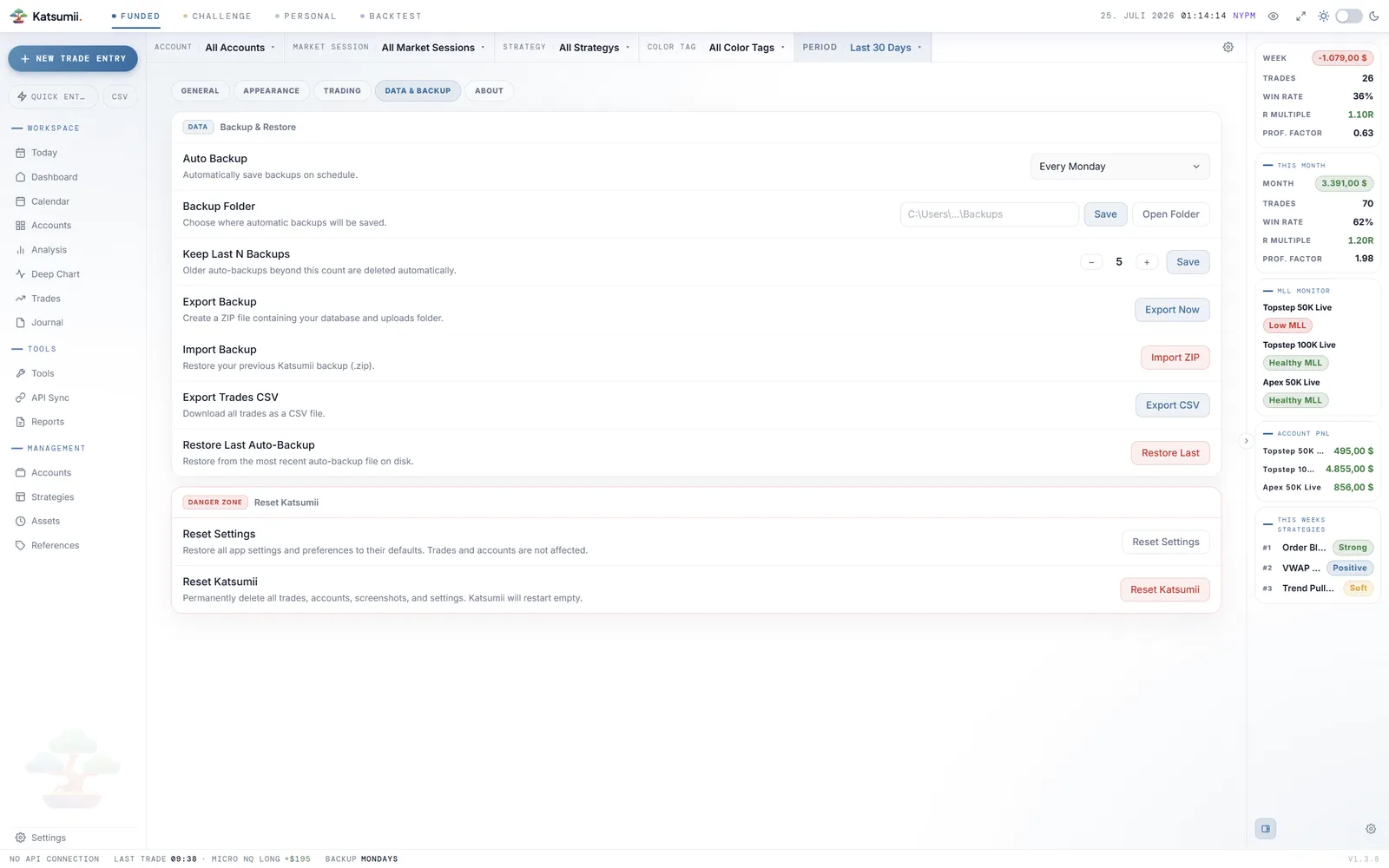
On the paid licences, local backups run in the background on the schedule you set — restore your last known-good state with one click.
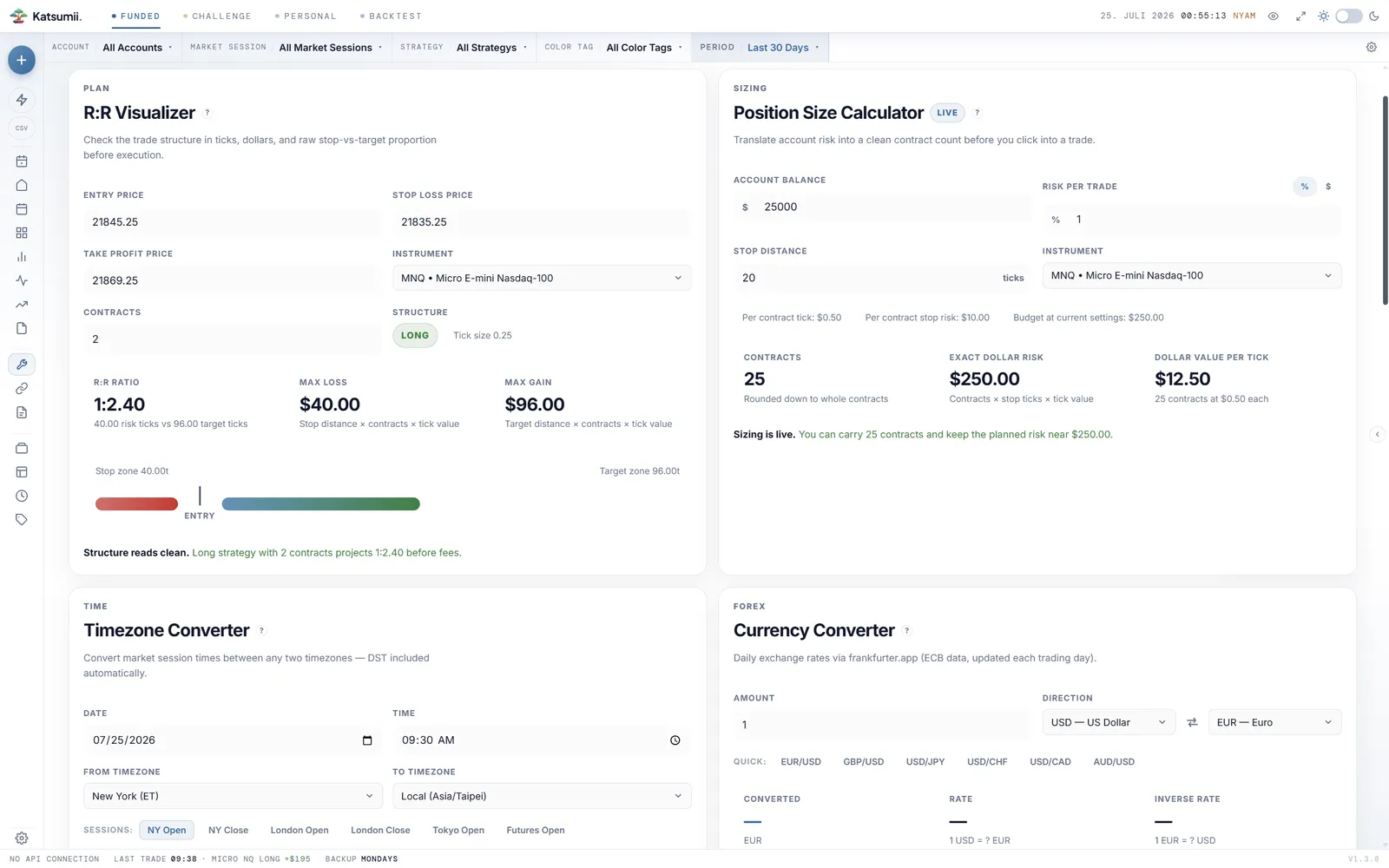
R:R visualizer
Model a trade before you take it — entry, stop, target, risk multiple, planned outcome.
Position size calculator
From account risk to contract size across futures, FX, CFDs — tick size and value baked in.
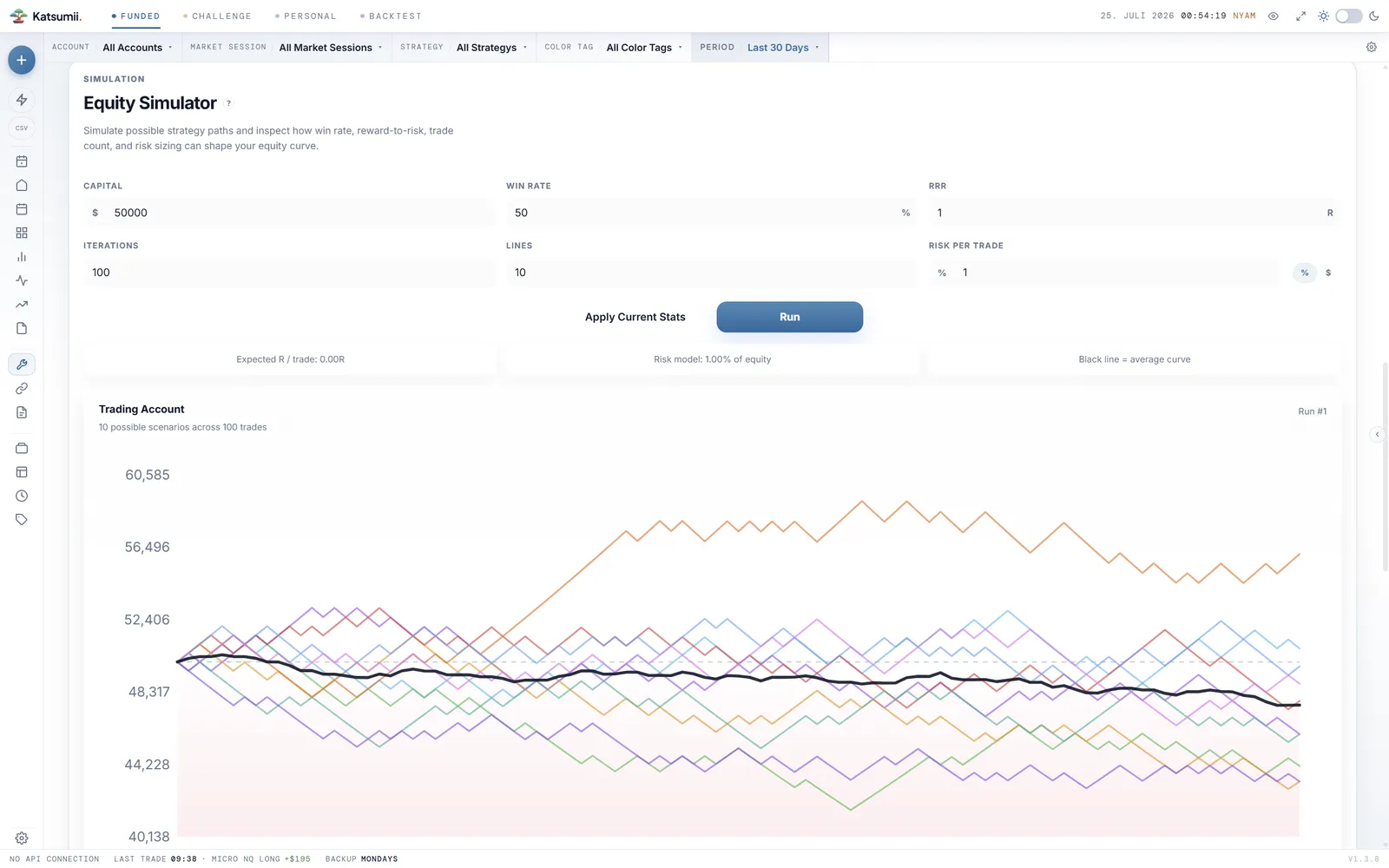
Equity simulator
Project account growth from win rate, RRR and risk per trade. See variance, not just the average.
Timezone converter
Line up session opens, prop-firm cutoffs and your local clock without a browser tab.
Currency converter
Cross-currency P&L in one place — useful when the firm settles in a currency you don't quote in.
Futures contract specs
Tick size, tick value, expiry, session — for every contract you actually trade.
HTML performance report
Self-contained offline report from the current filters — equity curve, calendar heatmap, breakdowns, key metrics. Dark and light modes ship inside the file.
CSV export
Export the filtered trade log for spreadsheets, tax software or your own analysis pipeline.
Automated backups
Backups run in the background on the schedule you pick — weekly, monthly or both. Decide how many copies to keep, restore the latest with one click.
The tools, out of the way.
Every part of the loop — capture, import, reflect, review — inside one local app.